E-Sports
Everything You Need to Know

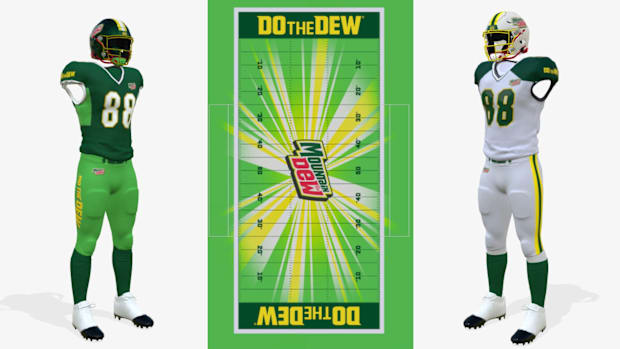
College Football 25 introduced the ability to fully customize your college team through EA’s Team Builder app on their website. By signing into an EA account, players had access to create a field, jerseys, and even customize the names of the players within their team.
Now, EA is back with College Football 26 with an updated and more streamlined version of Team Builder. From new rivalries to high school creation, dozens of new customization settings allow the player to overhaul their college or high school altogether.
Whether you’re a first time player or an esports veteran ready to build your roster to compete in CFB tournaments, your first stop should be the Team Builder. Here’s what you need to know:

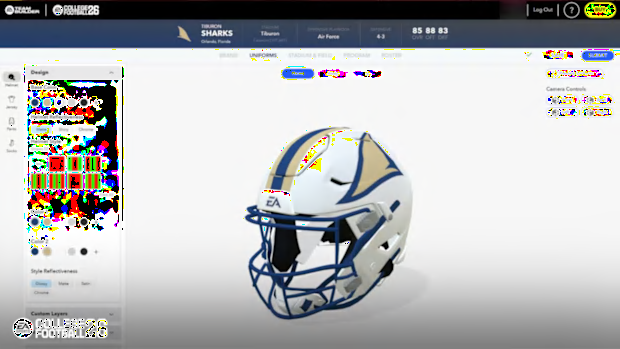
EA has brought Team Builder out of beta with the latest version, introducing a new UI, twice the performance, and new optimizations for a wider range of devices.
However, it appears that even after the updates, the Team Builder website still fails to function properly on Google Chrome. Attempts to edit or preview schools on Chrome often result in a complete crash.
To avoid these issues, it would be best to use a different, more stable engine. Microsoft Edge appears to be the best option, with shorter load times and fewer crashes.
EA also added the ability to import your College Football 25 team into the new title, meaning that you can revamp the same college you created last year. The only difference will be that you now have to fill out more information, which the site will prompt you to do before allowing you to publish it.
For those who thought that the 10-image upload limit was too constrictive, EA’s new version of Team Builder now allows you to upload up to 5 MB of images and textures.
In College Football 26, Dynasty Mode has been expanded with greater control over your program’s identity. You can now choose from a range of program identity templates like Powerhouse, Pro Factory, or Cupcake. These templates provide a baseline for your dynasty and are tailored to different play styles and storylines.
Some team grades are dynamic and influenced by your in-game decisions. For example, your Stadium Atmosphere grade is affected by the size of the stadium you select, and your Championship Contender grade depends on which existing team you replace in Dynasty Mode. This ensures your custom team evolves based on your setup, rather than relying on a static template.
You can also create up to five custom rivalries for your team, adding rich context and tradition to your dynasty experience. Each rivalry includes historical data, such as the opposing team, rivalry name, all-time series record, last matchup result, and score.
Additionally, you now have full control over recruiting pipelines, letting you set where your team recruits from. Pipelines are ranked from Tier 1 (weak) to Tier 5 (dominant), giving you the ability to shape your recruiting strategy with precision.

Roster editing has been completely revamped for College Football 26. A new Roster Tab keeps your team’s Overall, Offensive, and Defensive ratings visible in real time as you make changes. This live feedback makes it easier to understand how each adjustment affects your team’s performance.
When editing individual players, you’ll now find two dedicated tabs: Bio and Skills & Abilities. In the Bio Tab, you can edit a player’s name, physical appearance, redshirt status, high school star rating, and dynamic Dealbreaker threshold, which influences transfer behavior.
The Skills and Abilities Tab allows for even deeper customization. You can select each player’s Archetype, determine their Development Trait, and set their Potential (low, medium, or high) to shape their skill growth ceiling.
You can also assign Physical and Mental Abilities using a tiered system from College Football as follows: Bronze, Silver, Gold, and Platinum.
Physical abilities are tied to a player’s archetype, while mental abilities are position-specific and cannot be upgraded, encouraging careful planning and strategic decision-making.
To give players more freedom when designing their teams, College Football 26 introduces three new generic stadiums and a high school stadium, all unbranded and medium to small in size. This lets you build teams that feel more alive, whether you’re creating a local underdog or a rising mid-major school.
To start creating your dynasty or to see the showcase of some of the most popular creations from the community, head over to the College Football 26 Team Builder.
Missing some of your favorite teams from College Football 25? That’s because EA decided to add some of the top creations from popular content creators as the new FCS schools, such as Bordeaux’s Southern Kentucky Stallions and Not The Experts’ Rocky River Rebels, which were previously available to be downloaded in College Football 25.